
FuguHub
Manage Data Your Way
FuguHub Is Now Powered by Mako Server
The original FuguHub product has been superseded by Mako Server together with the new open-source FuguHub CMS.
Why FuguHub Changed
The original FuguHub combined its web server, identity system, file services, applications, and CMS in one product. Mako Server provides a newer and more flexible Barracuda App Server runtime, while the new FuguHub is installed as an application running on Mako.
This new structure keeps FuguHub easy to run while making the CMS, themes, and optional services easier to develop, package, and update. The new FuguHub also includes an MCP interface that lets compatible AI agents help create pages, manage themes, and build Lua and LSP web applications.
FuguHub Security: Context for the CVE-2024-27697 Report
If you arrived here after searching for CVE-2024-27697, the public report bearing that identifier concerns the original FuguHub 8.4 product. It does not concern the new open-source FuguHub CMS running on Mako Server.
The demonstration uses the FuguHub administrator interface to place executable Lua code in the editable About page. On a configured installation, this requires authenticated administrator access. The supplied proof of concept can also create the first administrator when it finds an unconfigured installation. A new FuguHub instance must therefore be configured before it is exposed to an untrusted network.
Server-side Lua is an intentional part of FuguHub’s application-development environment. An administrator who can edit executable Lua is trusted to deploy server-side application code. The demonstration shows the impact of that administrative capability; it does not demonstrate an authentication bypass or unauthorized access to an already configured installation.
This capability is also what lets the new Mako-based FuguHub host working applications, including dashboards, real-time services, automation systems, device-management interfaces, and industrial applications using Mako Server protocol APIs such as OPC UA, Modbus, MQTT, and SMQ. Administrative access must therefore be protected as code-deployment access.
Our public website has operated on the original FuguHub for more than 15 years without a known compromise. Regardless of that history, public installations should use strong credentials, restricted administrator access, HTTPS, and secure first-start configuration.
Recommended: Install the New FuguHub
The easiest way to install the new FuguHub is to use the Mako Server Developer Edition. Its mako.zip package includes FuguHub, Xedge, LSP-Claw, and development tools that are ready when Mako starts.
- Download and install Mako Server.
- Download the Developer Edition mako.zip.
- Replace the standard
mako.zipnext to the Mako executable with the Developer Edition file. Keep a backup of the original file. - On the first startup of the new Mako-based FuguHub, open Command Prompt or a terminal in the directory containing Mako and initialize the administrator credentials and MCP bearer token:
Replace the example username, password, and token with private, unpredictable values. The token must be at least 16 bytes. The Developer Edition imports the same initial values into its included applications, each of which retains its own authentication and authorization state. Existing credentials are not replaced. This command-line initialization is available only with the new Mako-based CMS and does not apply to the original FuguHub.mako -credentials username:password -token XjTi57sCSQgHyUrPrMuL59GO7iauxjqn - Open
http://localhost/for FuguHub orhttp://localhost/admin/to begin configuring the CMS.
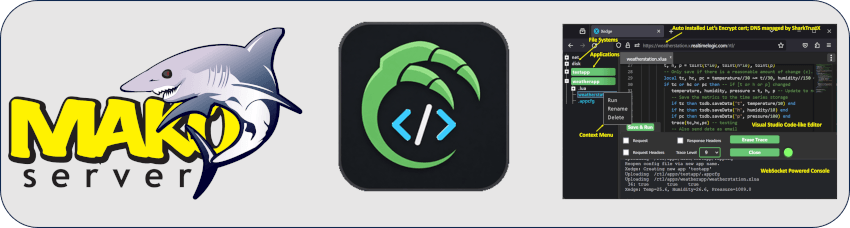
In the Developer Edition, FuguHub is the main application and serves the root page. Xedge remains available at http://localhost/rtl/, and LSP-Claw is available at http://localhost/lsp-claw/.
Developers who want to assemble or customize the package can use the source and deployment scripts in the FuguHub GitHub repository.
Learn How FuguHub Works
Read the full article, which explains how JavaScript and lightweight server rendering work together, or jump directly to how FuguHub works.
Continue Using the Original FuguHub
The original FuguHub remains available for existing installations and users who depend on its established applications and workflow. You can continue using your current installation or download the older version.
The original version retains its existing license and setup process. See the non-commercial license agreement and original FuguHub download page.
Which Version Should You Choose?
- Choose the new FuguHub for new projects, active development, AI-assisted CMS management, modern Mako APIs, and packaged deployment.
- Keep the original FuguHub when maintaining an existing installation that relies on its legacy applications or compatibility.

|
|
This web site is powered by the FuguHub Web/Application Server.
© 2026 Real Time Logic LLC, California, USA. All rights reserved.
Powered by the Barracuda Embedded Web Server and the SharkSSL Embedded SSL Stack.